How to plan a home office layout
How much room a desk and chair need, where to put the desk so the window doesn't glare on your screen or backlight your video calls, and how to fit an office into a spare room or a corner.
6 min read · Updated October 21, 2026
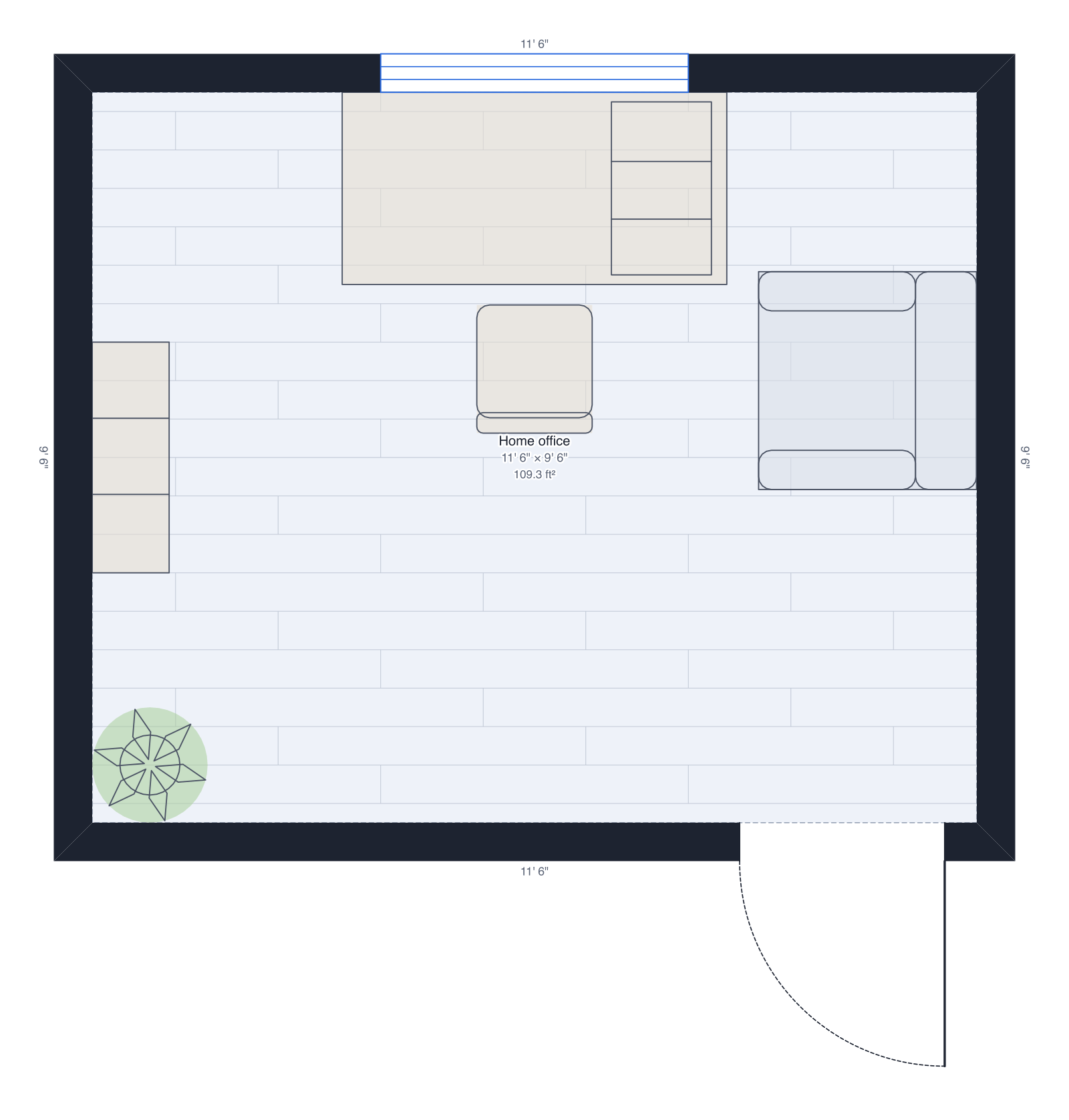
A good home office is mostly three decisions: where the desk goes relative to the window, how much room the chair gets, and what the camera sees behind you. All three are easy to get right on a plan drawn to scale, and annoying to fix once the desk is assembled and the shelves are on the wall.
1. Measure the room or the corner
Measure the walls, the window, the door and which way it swings, the radiator and the outlets. A desk and chair need about 5' × 5' of floor. A spare bedroom of 9' × 10' fits a desk, shelves and a sofa bed for guests; a corner of a living room or bedroom works too, as long as the chair has room to roll back.
2. Pick the desk size
- Laptop and one monitor: 48" wide, 24" deep.
- Two monitors or paperwork: 60" wide, 30" deep.
- An L-shaped desk turns a corner into a second work surface.
- Desk height is 28" to 30"; a standing desk adjusts from about 25" to 50".
3. Place the desk with the light from the side
The window decides where the desk goes. Facing it, the light is in your eyes all day. With the window behind you, it glares on the screen and turns your face into a silhouette on video calls. Put the desk at right angles to the window so daylight falls from the side, and add a desk lamp on the side away from your writing hand.
4. Leave room for the chair
The chair needs at least 36 inches between the desk's edge and whatever is behind it, and 42 to 48 inches if that's also a walkway. In DrawPlans the desk and chair in the library are drawn at real size, so you can see the gap and slide the desk until it's right. Keep the door's swing clear of the chair.
5. Check the video background, power and storage
Look at what sits behind the chair: shelves or a plain wall make a calm background; an open door or an unmade bed doesn't. Plan outlets for the computer, monitor, lamp and chargers near the desk, and the network cable or a good Wi-Fi spot. Keep the things you use every day within reach of the chair, and the rest on shelves.
6. See it in 3D, then export
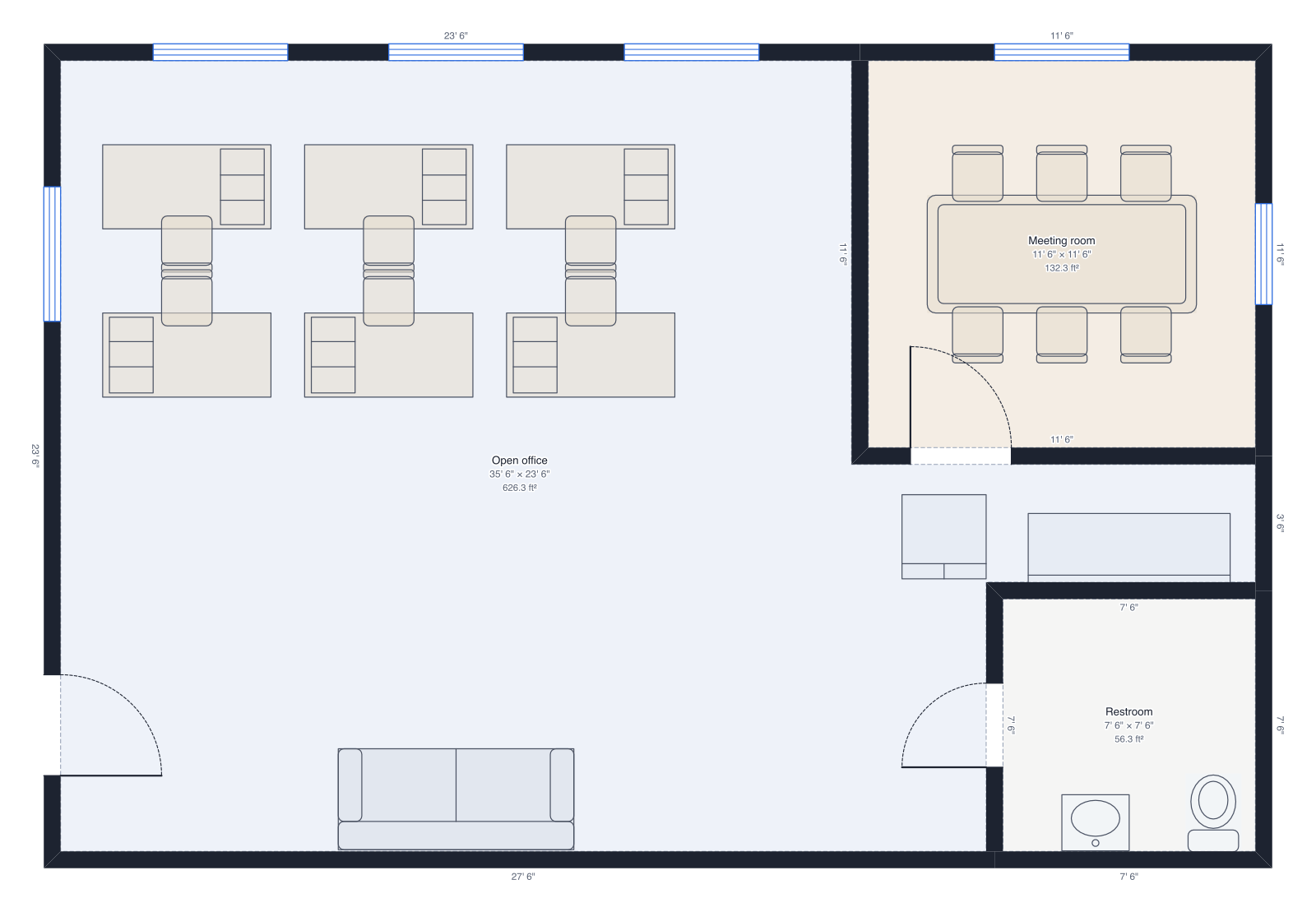
Switch to 3D and walk to the desk at eye height. You'll see whether the window glares and what a video call will show behind you. Then export the plan to share, or as a PDF with measurements to order a desk or shelves to size. The small office template shows the same ideas for a team.
Draw yours in DrawPlans
Type your measurements and the plan is to scale from the first wall. Furniture at real size, a 3D view, and a PDF that prints at the scale you choose, with a scale bar. You can draw one plan and see it in 3D before paying.
Start drawingTemplates to start from
Questions people ask
- How much space do you need for a home office?
- A desk and chair need about 5' × 5': a 60 × 30 inch desk plus 36 inches behind for the chair. Add shelves and a second chair and a room of about 7' × 9' or more feels comfortable.
- Should my desk face the window?
- Usually not. Facing a window puts bright light in your eyes; a window behind you glares on the screen and backlights your face on video calls. A desk at right angles to the window, with the light from the side, works best.
- What size desk do I need?
- For a laptop and one monitor, 48 inches wide and 24 inches deep is enough; two monitors or paperwork want 60 inches wide and 30 deep. An L-shaped desk fits a corner and gives a second surface.
- How far should a monitor be from my eyes?
- About an arm's length, 20 to 30 inches, with the top of the screen at or slightly below eye level. A desk 30 inches deep leaves room for that.